
Routing and multiple indexes
Route queries to the right corpus or index instead of searching one giant bucket.
As your knowledge base grows, searching everything for every query becomes inefficient and reduces quality. A question about billing doesn't need to search your API documentation. A question about a specific product doesn't need to search content for other products. Routing directs queries to the subset of content most likely to contain the answer, improving both relevance and performance.
The case for multiple indexes
A single monolithic index has advantages: simplicity, no routing logic to maintain, and no risk of routing to the wrong place. But it has disadvantages that grow with scale.
Retrieval quality suffers when irrelevant content competes with relevant content. If your index contains 10 million chunks across all topics, the top-5 results for a billing question might include some billing content mixed with tangentially related content from other areas. With a focused billing index of 100,000 chunks, the top-5 are all billing-relevant.
Performance degrades with index size. Larger indexes take longer to search, especially with exact search or highly selective filters. ANN indexes scale better but still have size-dependent latency.
Maintenance becomes complex when different content types have different update frequencies. If your product documentation updates hourly but your compliance docs update annually, managing them in one index means reindexing decisions affect everything.
Multiple indexes, with routing to direct queries appropriately, address these issues. The cost is routing complexity and the risk of sending queries to the wrong place.
Routing strategies
There are several approaches to deciding which index to search.
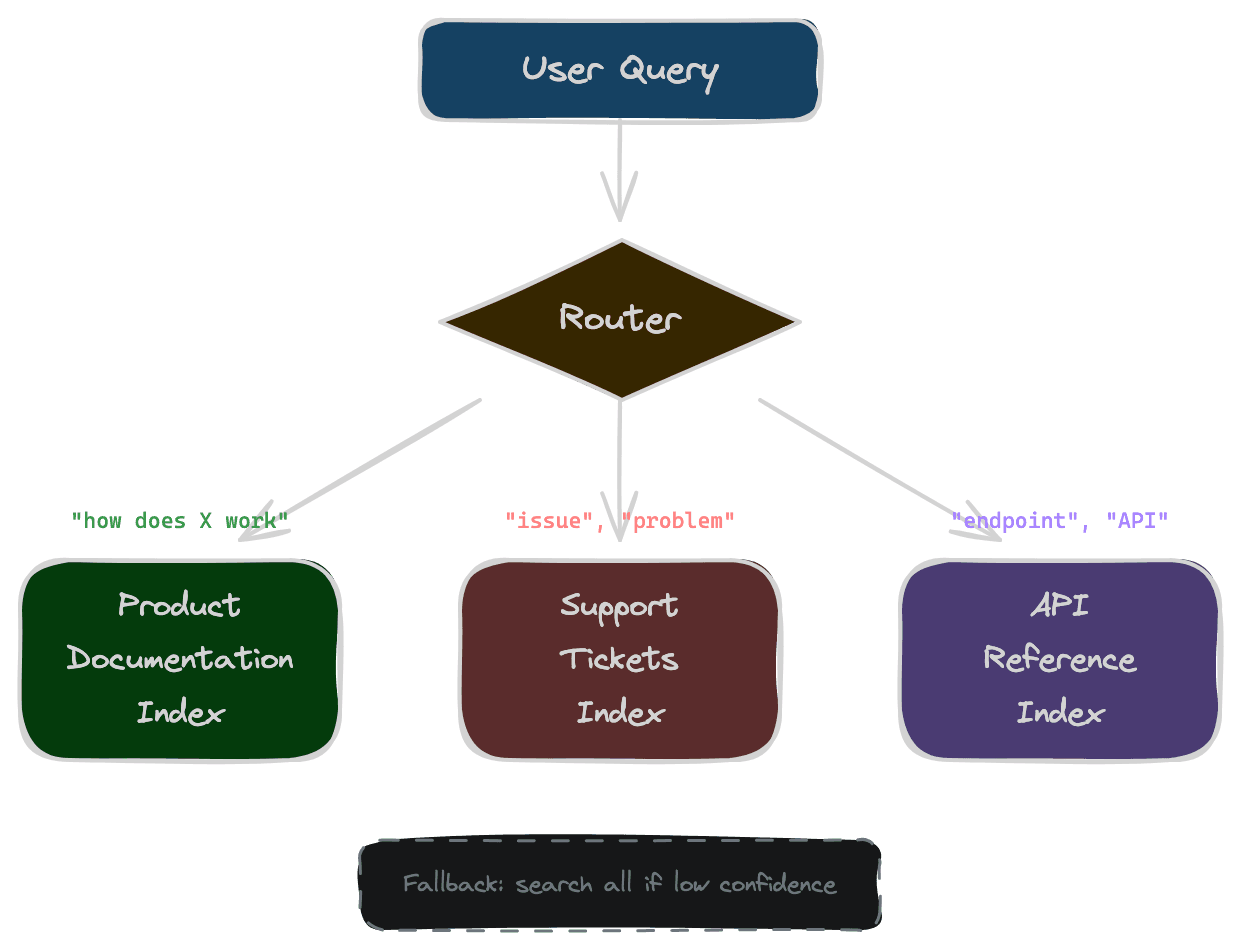
Keyword-based routing uses explicit signals in the query. If the query contains "API" or "endpoint," route to technical documentation. If it contains "invoice" or "payment," route to billing. This is simple and fast but requires maintaining routing rules and fails when queries lack clear signals.
Classification-based routing uses a model to categorize queries. Train a classifier on query types (billing, technical, product, etc.) and route based on its prediction. This handles ambiguous queries better than keywords but requires training data and adds inference latency.
LLM-based routing uses a language model to analyze the query and decide the destination. This is flexible and can handle nuanced cases but adds significant latency and cost. It's appropriate for complex routing decisions or when the number of possible destinations is large.
Hierarchical routing combines approaches. Use fast keyword rules for obvious cases, fall back to classification for unclear cases, and reserve LLM routing for truly ambiguous queries. This optimizes for the common case while handling edge cases correctly.
Broadcast with merge searches multiple indexes and combines results. This avoids routing errors at the cost of more searches. It works when routing is genuinely uncertain and the merge logic can identify the best results across sources.
Designing index boundaries
How you split content into indexes affects routing difficulty. Good boundaries are clear enough that routing can be accurate and meaningful enough that focused search improves results.
By content type: documentation, support tickets, FAQs, code. Each type has distinct characteristics and query patterns. Documentation queries look different from support ticket queries.
By product or domain: each product's content in its own index. When the query mentions a product, route to that product's index. This works when products are distinct; it fails when products share concepts or users don't specify which product they're asking about.
By tenant: in multi-tenant systems, each tenant's content in a separate index or a tenant-filtered segment. This provides isolation and can improve performance by limiting search scope. Routing is straightforward—use the authenticated tenant.
By freshness: recent content in a fast-updating index, historical content in an archival index. Route time-sensitive queries to the recent index; route historical queries to the archive. This optimizes update costs and can improve freshness for real-time applications.
The right boundaries depend on your content and query patterns. Analyze your data before committing to a structure.
Fallback and multi-index search
Routing can fail. The classifier might miscategorize a query. The query might legitimately span multiple indexes. A fallback strategy handles these cases.
Search multiple indexes when routing confidence is low. If the classifier is only 60% confident, search both the predicted index and the second-most-likely. Merge results, preferring higher-scored items.
Retry on failure if the primary index returns poor results (low scores, empty after thresholding). Search a broader index or the full corpus as a fallback. This adds latency but recovers from routing errors.
Explicit scope selection lets users choose. A dropdown for "Search in: Documentation / Support / All" puts the routing decision in the user's hands. This works for power users but adds friction.
Design fallbacks explicitly. Silent failures—routing to the wrong index and returning irrelevant results—are worse than slightly slower multi-index searches.
Operational complexity
Multiple indexes mean multiple things to maintain. Each index needs ingestion pipelines, update handling, monitoring, and capacity planning. Before splitting indexes, ensure your team can handle the operational load.
Consider whether filtering achieves similar benefits with less complexity. A single index with metadata filters for content type or product might perform well enough without the full overhead of separate indexes. Filters within an index are often simpler than routing between indexes.
Measure before committing. Run experiments with filtered single-index search versus multi-index routing. If quality and performance are similar, prefer the simpler architecture.
Next
Routing directs queries to appropriate content. The next chapter covers filtering—ensuring that even within the right index, users only see content they're authorized to access.